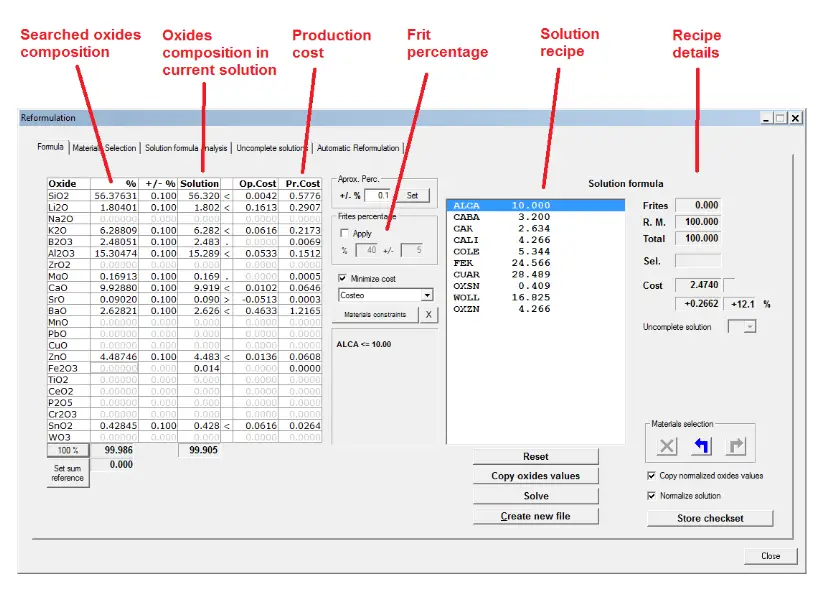
In the Formula page you enter and modify reformulation calculation input data and view the receipt obtained after executing the algorithm. Once a satisfactory solution receipt has been found it can be automatically transferred to a formula file. Also stored as a checkset for the Automatic Reformulation tool.
In this page you can remove from the materials selection those who you want to withdraw from the recipe and then relaunch the calculation.
When a satisfactory formula is found a new formula file can be automatically created and opened in the application.
To provide the best experiences, we use technologies such as cookies to store and/or access information on your device. Consent to these technologies will allow us to process data such as browsing behavior or unique identifiers on this site. Not consenting or withdrawing consent may negatively affect certain features and functions.