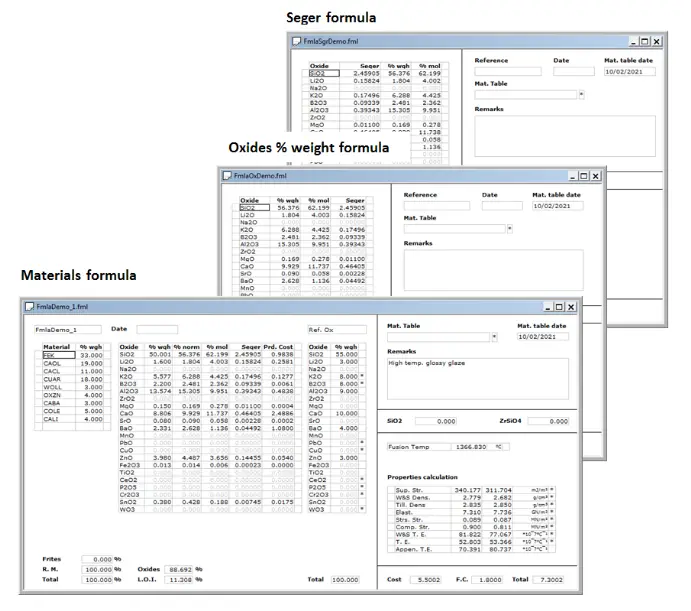
Formula files can be of materials -raw materials/frits recipes-, oxide % weight or Seger.
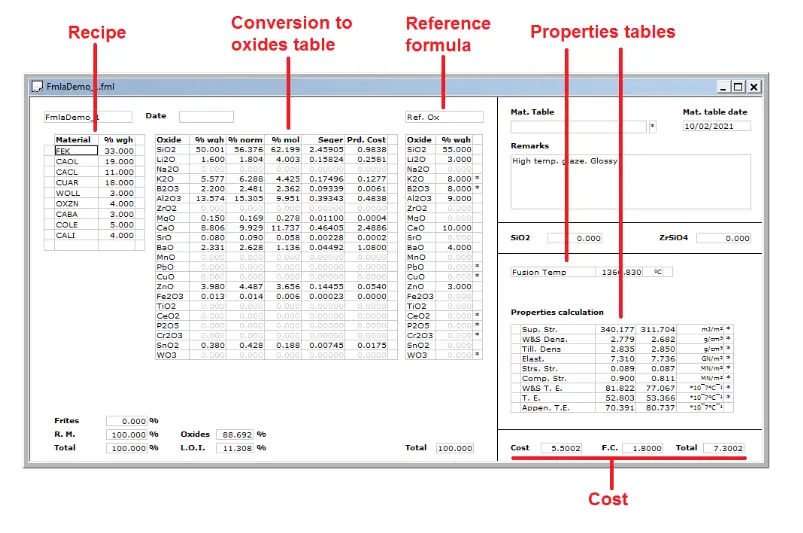
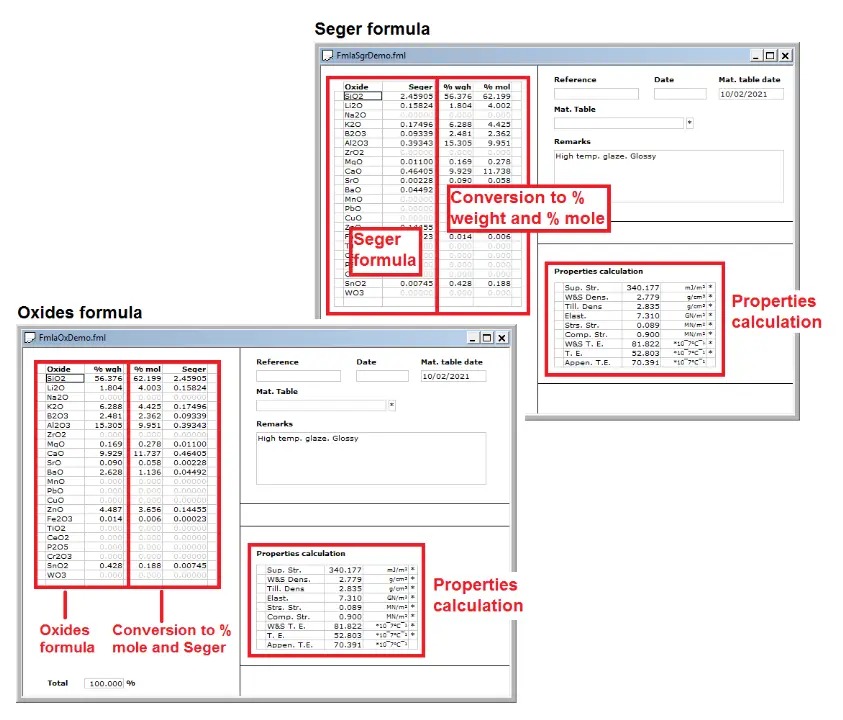
The view for each type of formula includes the conversions to other formula types and a table of properties calculated on the oxides composition.
For materials formulas there is also a table with properties on materials, like fusion temperature or other defined by the user.
We can customize what information is shown for every formula type or the layout or colour used to display it on the screen.
You can make up your materials formulas entering their names manually or selecting them from a window hat displays the currently used materials table contents. As you edit a formula the percentages in conversions to oxides % weight, % mole or Seger, cost and other data will be updated accordingly.
Edit oxides formulas while getting the conversions to % mole and Seger. You can also modify percentages in the % mole column and get the corresponding oxides % weight values.
For all formula types a properties table will show the values of properties for the produced oxides composition: superficial stress, density, thermal expansion…
A materials formula can specify a reference formula whose oxides composition will be shown beside the oxides produced by the formula you are working in, also displaying the difference for every oxide percentage.
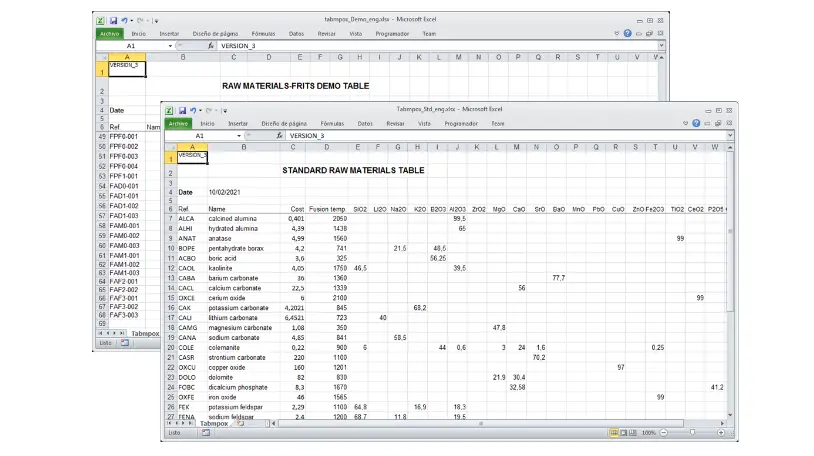
Formulacer loads materials -raw materials and frits- data from Excel files with a specified format which we call Materials Tables. These tables contain the oxides analysis, production costs and properties values. You can have more than one materials table and choose which one to work with at any time.
To provide the best experiences, we use technologies such as cookies to store and/or access information on your device. Consent to these technologies will allow us to process data such as browsing behavior or unique identifiers on this site. Not consenting or withdrawing consent may negatively affect certain features and functions.